
Websites for yoga and pilates studios
Yoga studio website design built around the weekly timetable
Yoga studio website design that starts with the week’s classes: a timetable on the homepage that books a mat or a reformer, an intro offer that turns a first class into a regular, and memberships and class packs whose cancellation terms anyone can find. Waivers are signed on a secure form before the first class, teacher training pages describe registry status honestly, and local SEO puts the studio in front of people searching nearby.
- Website from $150/month, yours after 12 payments
- SEO plans from $149/month
The short answer
What should a yoga or pilates studio website include?
A studio website needs the class timetable on the homepage, booking that holds a mat or reformer, an intro offer for first-timers, and memberships with renewal and cancellation terms shown before payment. Add an online waiver on a secure form, accessible class descriptions, gift cards that follow local expiry rules, and text reminders sent only with consent.
- Price
- $1,500 upfront, or $150/month × 12
- Ownership
- Yours after 12 payments
- Hosting and care
- $29 or $49/month
- Build time
- About 4 weeks for a local site
Our designs
Our website and app designs for yoga and pilates studios
Ready-to-launch concept designs for fictional businesses: pick one and make it yours. 8 websites, 2 apps and 1 software design, each opening on a desktop and a phone, with your brand, content and photos going in. All apps and software
11 of 11 examples shown
Concept website
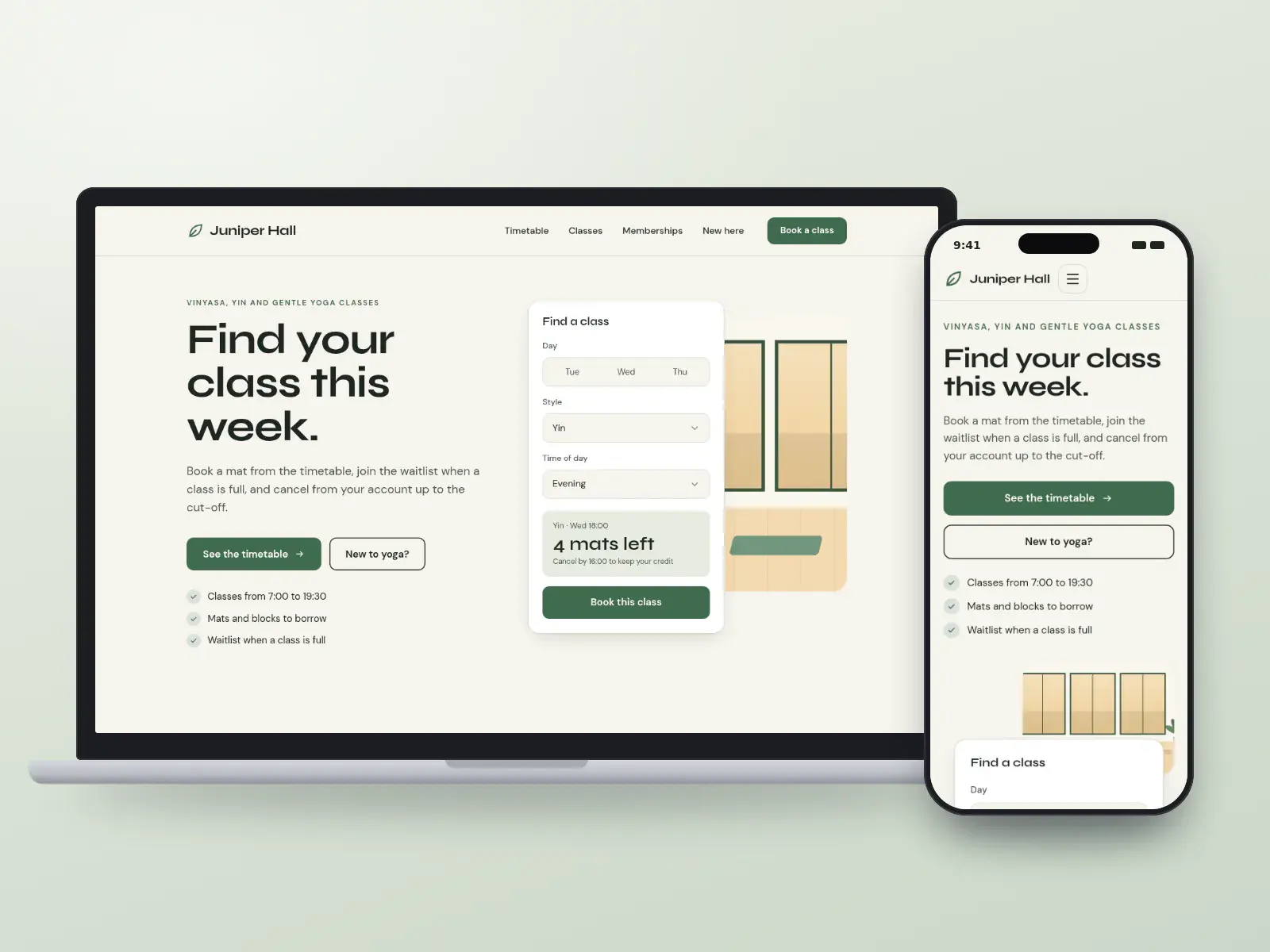
Juniper Hall Yoga
Studios with a full weekly timetable
Concept design. The business is fictional.
- Tool-first
- Minimal
Local website: yours after 12 payments, or $1,500 upfront
Concept website
The Reformer Room
Reformer pilates studios
Concept design. The business is fictional.
- Tool-first
- Bold
Local website: yours after 12 payments, or $1,500 upfront
Concept website
First Light Studio
Studios growing through first-timers
Concept design. The business is fictional.
- Playful
- Friendly
Local website: yours after 12 payments, or $1,500 upfront
Concept website
Kindling School of Yoga
Studios running teacher training
Concept design. The business is fictional.
- Editorial
- Warm
Local website: yours after 12 payments, or $1,500 upfront
Concept website
Stillwater Yoga
Studios selling memberships
Concept design. The business is fictional.
- Tool-first
- Minimal
Local website: yours after 12 payments, or $1,500 upfront
Concept website
Linden Pilates & Yoga
Boutique studios with private sessions
Concept design. The business is fictional.
- Luxury
- Editorial
Local website: yours after 12 payments, or $1,500 upfront
Concept website
Lantern Yoga Collective
Studios with several neighbourhood locations
Concept design. The business is fictional.
- Map-led
- Warm
Growth website: yours after 12 payments, or $4,000 upfront
Concept website
Warmroom Heated Yoga
Heated and hot yoga studios
Concept design. The business is fictional.
- Warm
- Bold
Local website: yours after 12 payments, or $1,500 upfront
Concept app
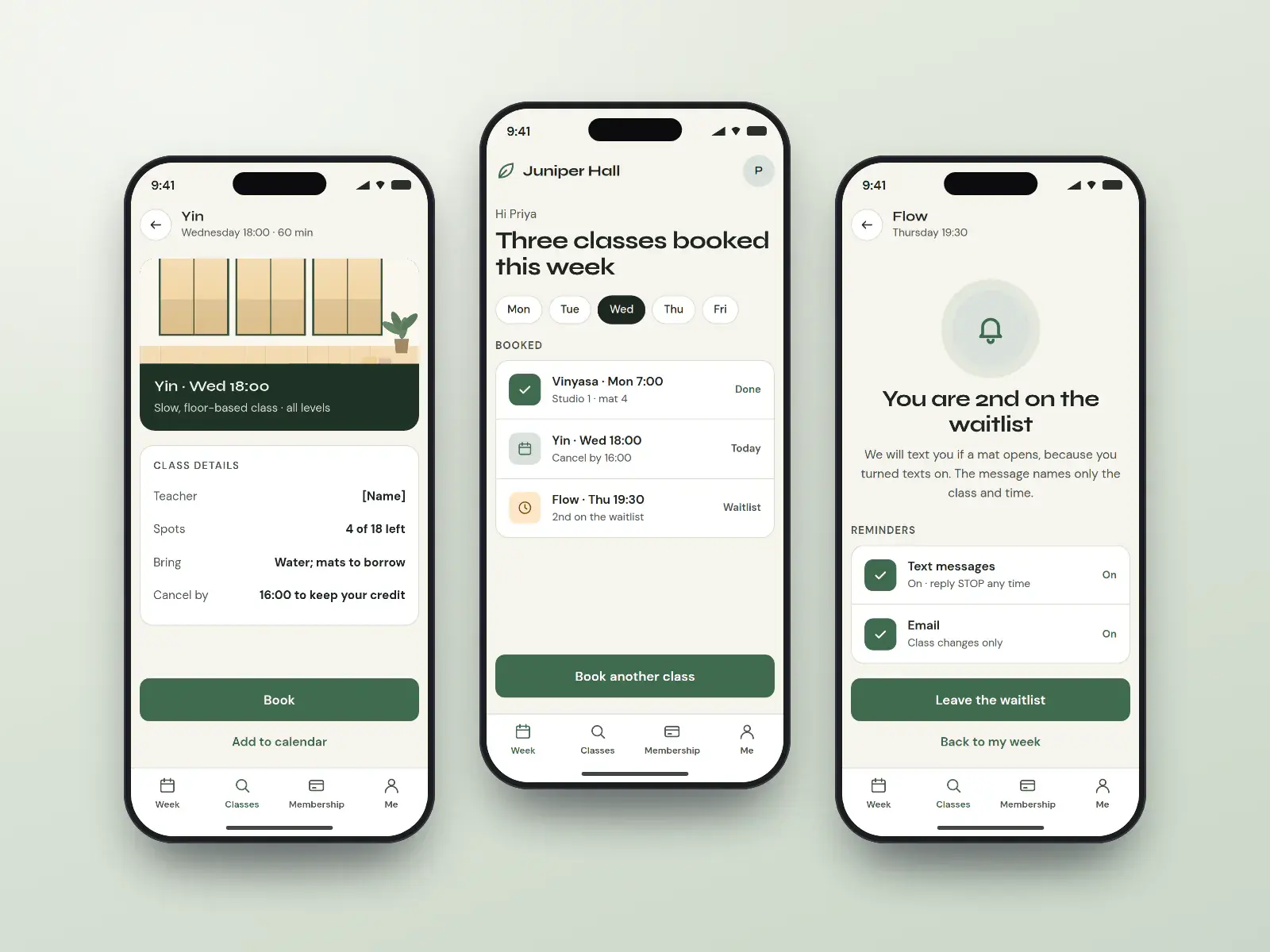
Juniper Hall booking app
Regulars booking several classes a week
Concept design. The business is fictional.
- Friendly
- Minimal
Quoted per project after a call
Concept app
Kindling trainee portal
Teacher trainees logging hours and modules
Concept design. The business is fictional.
- Editorial
- Warm
Quoted per project after a call
Concept software
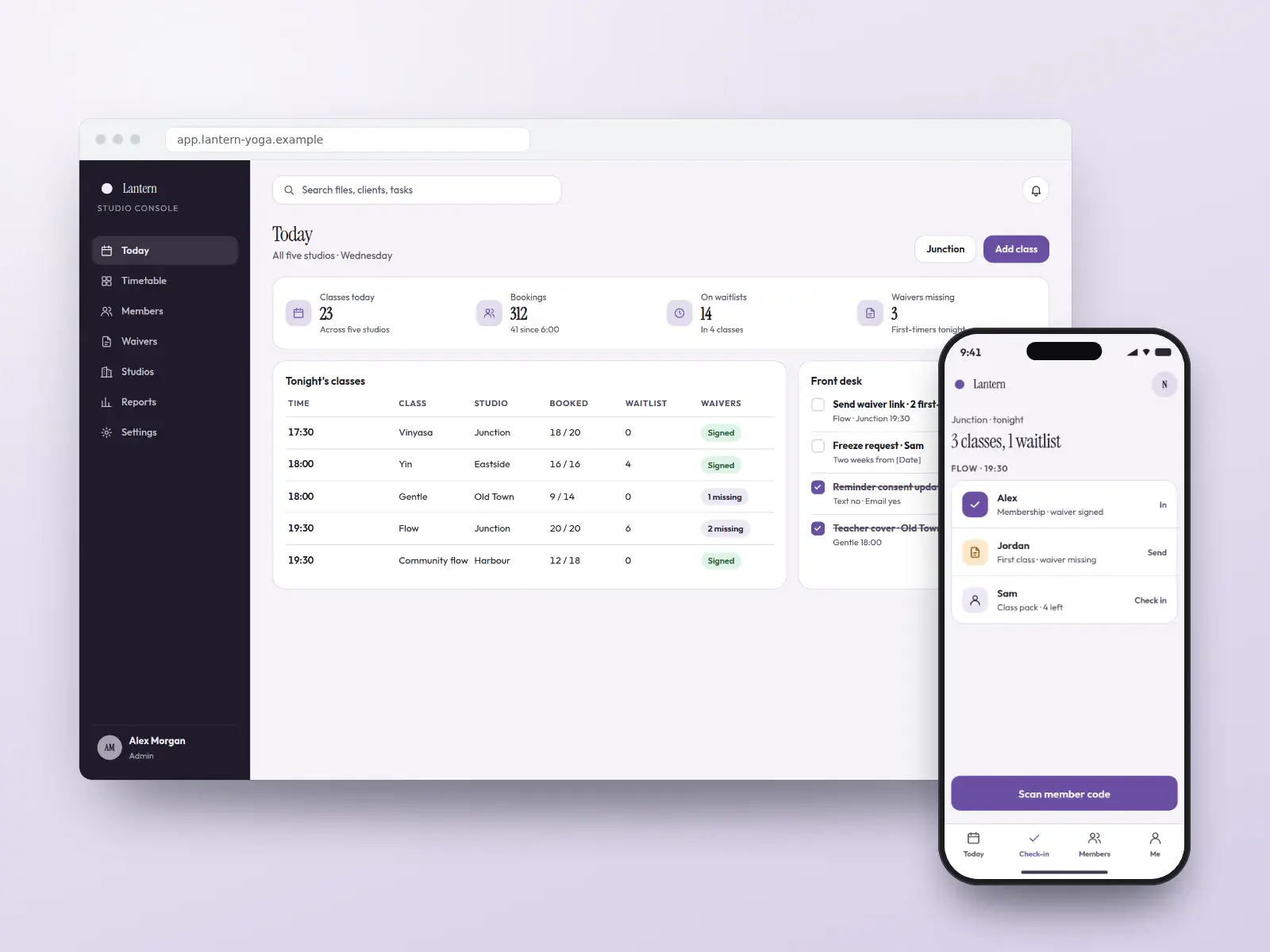
Lantern studio console
Front desks running several studios
Concept design. The business is fictional.
- Data-led
- Corporate
Quoted per project after a call
Pay monthly, own it
High-converting websites from $150/month
Pick a design, add your brand, content and photos, and launch. Yours after 12 payments, with SEO built in from day one.
- Local website
- $150/monthUp to 25 pages · yours after 12 payments, or $1,500 upfront
- Growth website
- $400/monthUp to 100 pages · yours after 12 payments, or $4,000 upfront
Built in
What every yoga studio website includes
The timetable on the homepage
This week’s classes by day and time, filterable by style, level, teacher and studio, synced from the class-booking tool you already run where it offers an integration. Waitlists and cancellation cut-offs show on each class, so no one discovers the policy after missing it.
Intro offers that convert without fine print
A new-student page that explains the intro offer, what to bring, which classes suit beginners and what happens when the offer ends. Offers are worded without numbers in banners, and none quietly rolls into a paid membership.
Memberships and packs with cancellation in view
Billing dates, freeze rules, cooling-off rights and online cancellation shown before payment, in the same account the member joined from. Class packs say they expire on a stated date and do not renew.
Waivers signed before class
A liability waiver and health note signed online at first booking on an encrypted form, stored with the student’s account and shown to the teacher only as a flag, so the front desk is not handing out clipboards five minutes before class starts. The general contact form never asks about injuries.
Teacher training pages that fill a cohort
Module dates, contact hours, faculty, attendance and refund terms, and an application form, so trainees apply knowing the commitment. A school listed with a registry such as Yoga Alliance says “registered”, never “accredited” or “licensed”, because the registry is a directory, not a licensing body.
Gift cards that follow local rules
Gift cards sold online with their terms printed on them: no expiry in Ontario except for a named single service, and in the US no expiry sooner than five years and no early dormancy fees. Each card shows how to check its balance.
Reminders only with consent
Class reminder texts go only to students who opted in at booking, with the studio named and a STOP or unsubscribe option in every message. Promotional texts and emails ask for their own separate consent.
Accessible to every body
Built to WCAG 2.2 AA, with plain class-level descriptions, step-free access and change-room details for each studio, and chair or adaptive classes easy to find from the timetable filter.
Must-have pages
The pages every yoga studio website needs
Each page answers a question people ask before they book, and each one can rank for that question on its own.
Class schedule
The week’s classes by style, level, teacher and studio, with spots, waitlists and the late-cancel cut-off, booked from the same page.
New students and intro offer
Which classes suit a first visit, what to bring, the intro offer’s terms in writing, and the waiver to sign before arriving.
Memberships, packs and gift cards
Every pricing option with billing date, expiry, freezing and online cancellation, and gift card terms that follow local expiry rules.
Class styles and levels
A short page per style (vinyasa, yin, reformer, chair yoga) saying who it suits and how hard it is, written without health promises.
Teachers
Each teacher’s training, the school that trained them and any registry listing, described as registration rather than a licence.
Teacher training
Syllabus, dates, contact hours, refund terms and an application, for studios that run a program.
Accessibility and the studio
Step-free access, change rooms, props, heat levels and adaptive classes, plus an accessibility statement with a contact for adjustments.
Privacy and waiver notice
What the site collects, that waiver health notes stay on the secure form, and how students manage text and email consent.
Search, AI answers and maps
How students search for yoga and pilates studios
Students usually search for a yoga or pilates class on a phone, close to where they live or work, often for a particular time or style later the same day. The schedule, the intro offer and how far away the studio is decide which listing gets the tap.
How students search
“Yoga studio near me” and “hot yoga near me”
Map pack results lead. A Business Profile with the right category, current hours and a link straight to the schedule wins the visit.
“Reformer pilates class tonight”
Time-bound searches. A crawlable schedule page, not an embedded widget alone, is what search engines and assistants can read.
“Beginner yoga classes” and “yoga intro offer”
First-timers. A new-students page with suitable classes, what to bring and the intro terms turns the search into a booking.
“Yoga teacher training near me”
A larger decision researched over weeks. A program page with dates, hours, faculty and refund terms, plus an honest note on registry status, answers it.
“Chair yoga” or “prenatal yoga”
Searches for a specific need. A page per style, saying who it suits and to check with a doctor where appropriate, meets them without health claims.
What we build for search, AI answers and maps
- 01
Business Profile for each studio
Primary category “Yoga studio” (or “Pilates studio” for a reformer studio), the schedule link, current hours, and classes listed as services.
- 02
Structured data that matches the page
SportsActivityLocation or ExerciseGym markup per studio, Event markup for workshops and Course markup for teacher training, breadcrumbs, and no rating markup about yourself.
- 03
Answers assistants can quote
Style, intro-offer and training pages open with a short plain answer (who it suits, how long, what it costs in words), so AI overviews have an accurate line to cite.
- 04
Consistent studio facts
Name, address, hours, styles and teacher credentials kept identical on the site, the Business Profile, the booking platform and any registry listing for the school.
- 05
Reviews from every student
One review request to every student after their first few classes, never filtered by mood, and replies that never mention an injury or health detail.
- 06
Monthly reporting
Schedule views, intro offers and bookings from search, map actions per studio and pages slipping, reported monthly with no ranking promised.
No one can promise a ranking or a place in an AI answer. We build the pages, data and profile that search engines and assistants read, and report what changes.
Compliance
The rules for yoga and pilates studios, handled in the design
Studio websites answer to consumer law on memberships and gift cards, to anti-spam and texting rules, and to privacy law. Here is what each asks of a yoga or pilates site, and how every design handles it.
Sources gathered October 1, 2026. This is how our designs handle these rules, not legal advice: rules change and differ by province and state, so your consumer-protection office, your privacy officer or your lawyer has the final word, and you approve every page before it goes live.
- Ontario
Ten-day cooling-off on prepaid memberships
Ontario’s consumer protection guide lists fitness and studio memberships among personal development services under the Consumer Protection Act, 2002, still the law while the 2023 Act awaits proclamation: when enough is paid in advance, the member may cancel within ten days of receiving the written contract, and the contract must set out services, price, dates and renewal. Membership checkouts in Ontario show those terms.
Ontario — Business guide to consumer protection: types of agreements
- US · California
Online cancellation for online sign-ups
AB 2863, effective July 2025, amends California’s automatic renewal law so members who joined online can cancel online immediately, with any save offer shown beside the cancel button and express consent to the renewal. The 2024 federal click-to-cancel rule was vacated, and the FTC’s March 2026 advance notice has produced no new rule, so the designs build to this state law and to ROSCA.
- Ontario
Gift cards without expiry dates
Ontario’s gift card page says cards generally cannot expire or carry activation or dormancy fees, and their conditions must be clear; a card for one specific service may expire. Studio gift cards sold online carry no expiry unless they name a single session, and print their terms.
- US
Gift cards under federal rules
The CFPB’s Regulation E gift card rule says a card cannot expire sooner than five years from issue or last load, and dormancy fees need twelve months of inactivity and disclosure on the card. Many states go further, so the studio’s card terms are set for its state.
- US
Reminder texts need consent at a studio
The FCC’s 2015 ruling lets HIPAA covered entities send some appointment reminders without prior consent; a yoga or pilates studio is not one. The booking form asks for clear consent to class reminder texts, and every message honours STOP.
FCC — 2015 TCPA Omnibus Declaratory Ruling and Order (FCC 15-72)
- Canada
Class reminders and promotions under CASL
The CRTC’s guidance on CASL treats a message that gives factual information about an existing membership, such as a class reminder, as exempt from consent, but it must still identify the studio and offer an unsubscribe. Newsletters and offers need consent, collected separately at sign-up.
CRTC — Frequently asked questions about Canada’s anti-spam legislation
- Canada
Tracking, ads and health-related details
The Privacy Commissioner’s online advertising guidance says opt-out consent may do for ordinary tracking, but sensitive information, health details included, needs express consent. Waiver health notes and injury flags never reach analytics or ad platforms, and ad cookies wait for the visitor’s choice.
- Credentials
Teacher registries are not licences
Yoga Alliance describes itself as a registry: it neither certifies teachers nor accredits schools, and an RYT listing means a teacher met its training and teaching-hour requirements. Studio and teacher pages say a teacher is “registered with” a registry, name the school that trained them, and never call either a licence or certification by the registry.
Everything for yoga and pilates studios
Websites, apps, branding and SEO for yoga and pilates studios
Websites
Yoga and pilates studios websites built on the designs above, fast and set up for search.
From $150/month
Apps
For studios whose regulars book several times a week: an app or student area that makes the next class a tap away and the membership easy to manage.
Quoted per project
Apps for yoga and pilates studiosBranding
A studio brand has to feel welcoming to beginners as much as to devoted regulars, and it has to work on a timetable, a mat bag and a storefront window.
Quoted per project
Branding for yoga and pilates studiosSEO and leads
Ongoing SEO that checks your site every week and fixes what is safe to fix, for more class bookings, intro offers and memberships.
From $149/month
SEO plans and prices
Pricing
What a yoga studio website costs
The price of a yoga studio website is the same as any website we build: pay upfront and save, or spread it over 12 months.
Local website
$150/month × 12
or $1,500 upfront. Yours after the 12th payment.
- Up to 25 pages
- Any design on this page
- Technical SEO at launch
- Hosting and care $29/month
Growth website
$400/month × 12
or $4,000 upfront. Yours after the 12th payment.
- Up to about 100 pages
- Teams, offices and more integrations
- Planned with an advisor
- Hosting and care $49/month
SEO plans
$149/month
Local $149 · Growth $399
- Checks your site every week and fixes what is safe to fix
- New pages every month
- 7-day trial
Prices in US dollars. How payments, hosting and ownership work.
How it works
How your yoga studio website goes live
- 01
Pick a design
Choose a concept, or ask for something new. Tell us your class styles, studios and the class-booking tool you use.
- 02
Send your details
Logo, studio and teacher photos with consent, membership and pack terms, waiver text, gift card terms and any teacher training syllabus.
- 03
Terms and review
We connect the timetable, set reminder consent and checkout terms, keep waiver details out of analytics, and you review every page.
- 04
Launch and grow
Old pages redirected, Google profile classes and hours updated, and SEO added so people searching for classes nearby find you.
Pick my design
See your website before you pay for it
Choose a design and tell us about your business. An advisor emails you to plan a preview with your name, your colours and your details, and the price options. Nothing is charged until you decide.
- 1An advisor replies by email
- 2We plan your preview and scope
- 3You decide, with every price in writing
Questions
Yoga and pilates studios: common questions
- How much does a yoga studio website cost?
- A yoga or pilates studio website of up to 25 pages is $1,500 paid upfront, or $150 a month for 12 months, and it is yours after the 12th payment. A larger site of up to about 100 pages is $4,000, or $400 a month. Hosting and care is $29 or $49 a month. Prices are in US dollars.
- Can the website show our live class timetable?
- Yes. The timetable sits on the homepage, styled as part of your site rather than a boxed widget, and reads classes, spots, waitlists and cut-offs from the class-booking tool you already use where it offers an integration. Students filter by style, level, teacher and studio, then book a mat or reformer in a couple of taps.
- How should memberships and cancellations work on the site?
- Every membership shows its billing date, freeze options, cooling-off rights and how to cancel before payment, and members cancel online in their account. That follows ROSCA in the US, California’s automatic renewal law for online sign-ups, and Ontario’s ten-day cooling-off on prepaid personal development services.The 2024 federal click-to-cancel rule was vacated in July 2025, and the FTC’s March 2026 restart is still at the advance-notice stage, so the design follows the laws in force.
- Can students sign waivers online?
- Yes. A liability waiver and short health note are signed online at first booking, on an encrypted form, and stored with the student’s account. Teachers see a simple flag rather than the details, and nothing from the waiver reaches analytics or ad platforms. Your lawyer supplies or approves the waiver wording for your province or state.
- Can we sell gift cards and send class reminder texts?
- Yes, with the rules built in. Ontario gift cards generally cannot expire, and US cards cannot expire sooner than five years under federal rules, so card terms are set for your location. Reminder texts go only to students who opted in, name the studio, and honour STOP, as the TCPA and CASL expect.
- What should a yoga studio website include?
- A class schedule students can book from, a new-students page with the intro offer, memberships, packs and gift cards with their terms, a page per class style, teacher profiles, teacher training if you run it, accessibility details and a privacy notice. Put the schedule on the homepage, because it is the page regulars and first-timers both come for.
- How do yoga studios get more students online?
- Make the first class easy to find and easy to book. Keep the Business Profile, hours and schedule identical, give beginners a page with suitable classes and the intro offer stated simply, and publish a short page for each style people search for. Then ask every new student for a review, and follow up only with those who opted in.
- Where should students share injuries or health details?
- On the secure waiver or intake form, never the contact form. The contact form asks only for a name, how to reach the student and the question, and says not to include health details. Injury notes sit on an encrypted form, teachers see a simple flag before class, and none of it reaches analytics or ad tools.
- Can a teacher say they are Yoga Alliance certified?
- Better not. Yoga Alliance describes itself as a registry that neither certifies teachers nor accredits schools, so the accurate wording is “registered with Yoga Alliance” (an RYT) and certified by the school that trained them. Teaching yoga needs no government licence in most places, and words like “yoga therapy” should not suggest treatment of a condition.
- Will my yoga studio website rank on Google?
- It launches with the technical SEO done: fast pages, clean structure, structured data, local pages and redirects from your old site. To keep climbing, a BOOSTD SEO plan from $149 a month runs 262 checks on your site every week, fixes what is safe to fix and gets the rest ready for your OK.No one can promise a position on Google, and we never do. Google warns businesses about anyone who does.
- Can I get one of these yoga website designs?
- Yes. Each is a complete, ready-to-launch website design BOOSTD made for yoga and pilates studios. Pick one and we make it yours, with your name, colours, photos, content and the licence or compliance details your industry expects, from $150 a month and yours after 12 payments.Approved client sites are shown with a “Client work” tag, and only with the client’s written permission.
Guides for yoga and pilates studios
Reading for yoga and pilates studios before you build
- Planned guideYoga studio website checklist: timetable, intro offers, memberships and waiversPlanned: written with a named author and published once reviewed
- Planned guideMembership cancellation for studios: what the website has to showPlanned: written with a named author and published once reviewed
- Local SEOGoogle Business Profile optimization: a field-by-field guide
- ReviewsHow to ask for reviews without breaking the rules
More on yoga studio website design
- Marketing for gyms and fitness studios Local SEO, membership and retention marketing.
- Setting up your Google Business Profile
- Websites for gyms and fitness studios Memberships, free passes and club pages.
- Websites for personal trainers Private sessions, packages and readiness questionnaires.
- Websites for massage therapists
- Websites for day spas
- Pricing for a group or franchise of yoga and pilates studios More locations than a plan covers? Tell us about the network.
Free, about a minute, nothing changes on your site
Start with a free checkup of your current site
See what holds your current website back across every point, free, before you choose a design.
- Free, no cardNo sign-up to see your preview.
- Read-onlyNothing changes on your website.
- 90-day guaranteeIf you join: a better score, or your next month free.